

There’s a strange tension when you run a small service business. You want your clients to feel like you’re giving them a personal experience. You want to listen to what they actually need, communicate like a human being and make them feel looked after. But you also can’t reinvent your entire business every time someone becomes a client.
Because eventually, you end up spending half your working week doing things you’ve already done a hundred times before: Writing the same emails, sending the same information, chasing the same things, remembering the same deadlines, creating the same documents and trying to remember what you’re supposed to do next for each individual client. The list goes on…
And that’s where having a repeatable client process can make a huge difference. And I’m not saying your whole business should feel automated and without a personal touch. Not every client should receive exactly the same experience and there’s also no need to try and turn your business into some enormous corporate machine.
But to be more efficient and sustainable when it comes to your time and energy, it’s worth figuring out what needs to happen every time, what can be made easier, and where you actually need to be involved. Because a good system shouldn’t remove the human part of your business, it should give you more space for it.

You don’t need to reinvent the wheel for every client
Every client is different. That’s probably one of the reasons you chose to run a service business in the first place.
You might be a photographer, designer, copywriter, consultant, coach, therapist, web developer, VA, maker or run any number of other businesses where the person you’re working with matters just as much as the service you’re providing.
The actual work you do for each client might be completely different. But look at what happens around the work.
Someone makes an enquiry. → You respond. → You have a conversation. → They decide to work with you. → You send the contract. → They pay. → You collect the information you need. → You prepare for the work. → You deliver it. → You follow up. → You finish the project. → You might ask for feedback or a testimonial. → You might keep in touch afterwards.
There are probably quite a few things in that list that happen for almost every client. So you really shouldn’t starts from scratch every time, right?
Start by mapping out what actually happens
Before you start automating anything, take a step back. You need to understand your existing client process first.
Pick a typical client and follow their journey from the moment they first contact you until the moment you consider the relationship finished.
Write down everything that happens.
- Where does the enquiry arrive?
- How do you respond?
- What information do you send?
- What happens when they say yes?
- How do they book?
- Where is the contract?
- How do they pay?
- What information do you need from them?
- What do you need to prepare?
- What happens during the project?
- How do you communicate updates?
- How do you deliver the final work?
- Do you check in afterwards?
- Do you ask for a testimonial?
- What happens when the project is officially closed?
And here’s the important bit: Document what actually happens, not what you think happens. Because this exercise can be surprisingly revealing.
You might discover that your “process” currently consists of your inbox, your calendar, a spreadsheet, a collection of Google Docs and a vague feeling that you are probably forgetting something.
You might also discover that you’ve been doing things in a particular order simply because that’s how you’ve always done them. That’s useful information. You can’t improve a process you haven’t actually looked at.

Look for the things you keep having to remember
As you’re mapping everything out, look for the words: remember, check, send, chase, follow up, don’t forget.
These are often the places where a process can be improved.
For example:
After someone books, I need to remember to send the information pack.
A week before the project starts, I need to remember to ask for X.
When I finish the work, I need to remember to send Y.
If they haven’t replied, I need to remember to follow up.
Every time you find one of those, ask yourself:
Does this actually need to live in my brain?
Sometimes the answer will be yes. But often, it doesn’t – it could live in a template, a checklist, a calendar reminder, a task in your project management system, a CRM workflow or an automated email.
The point isn’t to automate something simply because you can but to stop using your memory as your business management system. Take it from someone who ran their business for years on emails alone – it’s not sustainable. Balls get dropped way too easily that way.
Decide what should happen every time
Once you’ve mapped your existing process, you can decide what you want your standard client process to look like. Notice that I said standard, not identical. A good repeatable process creates a reliable framework without requiring you to treat every client like they’re the same person.
For example, perhaps every new client should receive:
- a welcome message
- information about what happens next
- a contract
- a payment request
- a questionnaire or onboarding form
- preparation information
- confirmation before the work begins
- a clear delivery process
- a follow-up afterwards
The details will vary depending on your business but the underlying structure doesn’t have to. Consistency doesn’t have to mean sameness. Your client can still have an individual experience within a consistent process.

Prepare what you can in advance
This is probably the easiest place to start. Think about all the things you write, create or explain repeatedly. Could any of them become template Emails? If you find yourself writing essentially the same message over and over again, save it. You can then personalise it where necessary rather than starting with a blank page.
The same applies to:
- welcome information
- FAQs
- questionnaires
- proposals
- preparation guides
- checklists
- project updates
- feedback requests
- off-boarding information
This doesn’t mean copying and pasting a generic message without reading it – means creating a starting point.
If you’re constantly rewriting the same client emails, having them prepared in one place can make this much easier. My Notion Client Communication Hub, for example, includes pre-written emails alongside the steps around when to use them. You can adapt them to your own voice and use them in whatever system you already have.
The goal is simple: Don’t start from zero when you’ve already figured something out.

Notion Client Communication Hub
Improve your client workflow with carefully drafted emails that don’t just support your client communication but also help you map out all the touch points neccessary.
Automate what makes sense – but don’t automate everything
This is where people often get systems wrong. They hear “automate your client experience” and immediately start trying to automate every possible interaction. But not everything needs to happen automatically.
Some things are ideal for automation:
- sending a confirmation
- sending a questionnaire
- payment reminders
- appointment reminders
- follow-ups when something hasn’t been completed
- delivering standard information at the right stage
Other things might simply need to become a task that appears at the right time. And some things should probably stay entirely human like a personal response to a client’s question, a conversation about something complicated or a thoughtful recommendation. Those moments don’t need a workflow, they need you.
So rather than asking: “What can I automate?”
try asking: “What doesn’t actually need me?”
That’s a much better question. The goal isn’t to remove yourself from the client experience. It’s to remove yourself from the parts that don’t require your attention.
Create one place to see the whole process
Once you’ve worked out what your process looks like, you need somewhere to keep track of it. Because there’s a difference between having a process and being able to see where every client is within that process.
Imagine being able to look in one place and immediately see:
- Who has just enquired?
- Who is waiting to book?
- Who has booked but hasn’t completed their paperwork?
- Who is currently in progress?
- Who is waiting for something from you?
- Who is waiting for delivery?
- Who needs a follow-up?
- Who has finished?
That visibility can make a huge difference. You don’t have to rely on remembering where you left off with everyone. This is where something like my Notion Client Project Hub comes in.
If the Client Communication Hub helps with the individual messages you send, the Client Project Hub takes a step back and helps you see and manage the whole client journey. It’s not about making the experience more corporate, it’s about making sure that you know what’s happening.
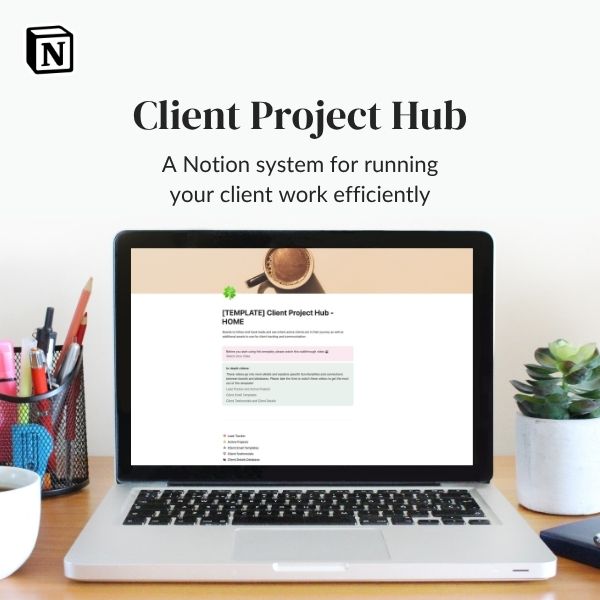
Notion Client Project Hub
A complete Notion workspace to manage leads, clients, projects, communication, and follow-up, all in one connected system.
Your client experience is bigger than your client workflow
Once you start looking at your client process, you might realise that the same principle applies to other parts of your business. Because your client experience doesn’t exist in isolation. It’s connected to everything else you do.
Your marketing brings people in.
Your sales process helps them decide whether to work with you.
Your finances keep the business running.
Your content keeps you visible.
Your planning determines what you’re actually working towards.
Your admin keeps everything functioning behind the scenes.
And if all of those things live in completely different places – or mostly in your head – running a small business can become an exhausting exercise in remembering what you’re supposed to be doing. That’s where a broader Business Operating System can be useful. I built one in Notion for example (big surprise, righ?).
It’s essentially the same idea taken beyond the client journey: creating a structure for the different parts of your business so you can see what needs to happen, rather than constantly trying to hold everything in your head.
You don’t need to start there. Start with the problem that’s actually bothering you.
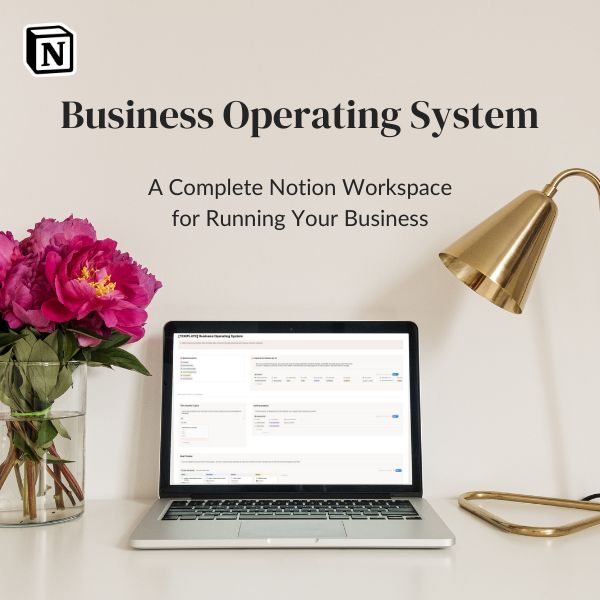
Notion Business Operating System
A complete Notion workspace for every aspect of your service-based business.
This system combines all parts of your business, including tracking leads, mapping client journeys, communication, marketing and finances.
A good process should make your business feel more personal, not less
This is the bit I think is most important: I don’t think systems and personal service are opposites. I think good systems can actually make personal service easier.
If you’re constantly worrying about whether you’ve forgotten something, you’re using up mental energy that could be spent listening to your client.
If you’re searching through old emails to find the information you sent last time, you’re not spending that time doing the work you actually enjoy.
If you’re manually checking whether everyone has completed the same form, you’re doing admin rather than paying attention to the person in front of you.
A process takes those repetitive decisions away, it creates a framework. And then you get to step into that framework and actually be human. Your client doesn’t need to know that you’ve got a beautifully organised workflow behind the scenes, they just need to experience the result and feel that you know what you’re doing. That’s what a good client experience can look like.
Don’t try to build the perfect system
There’s one final trap to avoid: Don’t spend six months creating a beautiful system that you never actually use. Your first version can be incredibly simple: A list of steps, a handful of templates, a checklist, a spreadsheet. Whatever works – then use it.
Pay attention to where things still get forgotten. Notice what clients keep asking, which emails you keep editing. Notice which steps aren’t useful anymore and where you still have to stop and think, What am I supposed to do next? Then change the system accordingly.
Your client process isn’t a one-off project, it’s something you can keep refining as your business grows. The goal isn’t to create a perfect machine. It’s to create a business that supports the way you actually want to work.

Start with one question
If you’re feeling slightly overwhelmed by all of this, don’t try to systemise your entire business today. Instead, ask yourself: What is the part of my client experience that I currently have to think about far too much?
Maybe it’s enquiries. Maybe it’s onboarding. Maybe it’s remembering to follow up. Maybe it’s keeping track of projects. Maybe it’s writing the same emails. Maybe it’s everything.
Start there. Map what currently happens, decide what should happen every time. Prepare what you can in advance, automate the things that don’t need you and create reminders or tasks for the things that do. And keep the genuinely human moments human. Because the aim of a good client process isn’t to make your business feel like a machine, it’s to make sure you don’t have to be one.
And when you remove some of the repetitive mental load, you have more room to do the thing that probably made you start your business in the first place: look after people really well.
My business relies on a number of different apps and systems. Notion (free to use) is one of them, a CRM called Dubsado (affiliate link) is another, along with a few others that are specific to my work as a photographer. While I did share my Notion boards above, I encourage you to find something that suits you and your business!