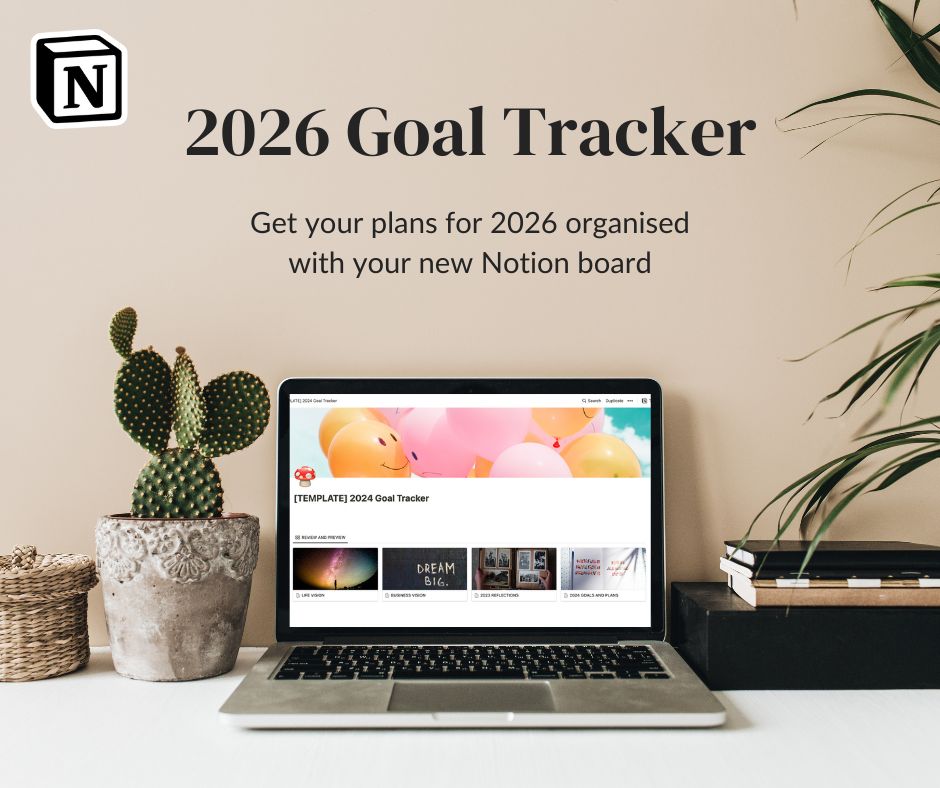


Most businesses aren’t disorganised, they’re just growing
If you’re running a business, chances are your ideas don’t live in one neat place.
Some are in a notes app on your phone, some are scribbled on paper, the back of an envelope, or a post-it that felt important at the time.
Client details live across emails, DMs, and maybe a spreadsheet you meant to keep updated.
Your finances are “somewhere” — not ignored, but not exactly visible either.
This isn’t laziness and it’s definitely not incompetence. It’s what happens when a business grows faster than the systems holding it. Most of us don’t start out with processes and dashboards, we start with ideas, people, and work to do. Structure usually comes later, often only once things start feeling a bit heavy.
That’s where tools like Notion often enter the conversation. Not as a productivity hack or a way to squeeze more out of your day but as a place to put things down.
I think of Notion as a container: A home for the moving parts of your business. A place where ideas, client information, plans, and numbers can live together, instead of floating around in your head or across half a dozen apps.
I didn’t start using Notion to optimise my business, I started using it because I was tired of holding everything in my head.
What Notion actually is (without the tech overwhelm)
At its core, Notion is a workspace where you can keep information in one place and look at it in different ways.
That’s it.
It’s not a to-do list app. It’s not a calendar replacement. And it’s not a magic system that suddenly makes you organised.
In simple terms, Notion is a place where you can create pages and databases to organise information in a way that makes sense to you. Think of it less like a piece of software with a fixed structure, and more like a set of building blocks you can arrange as your business evolves.
At the heart of Notion are a few basic elements:
- Pages, which act like folders or documents
- Databases, which store information (clients, ideas, tasks, finances)
- Views, which let you look at the same information in different ways — as a list, a board, a calendar, or a timeline
What most people call “Notion boards” are usually just different views of a database. You’re not duplicating information every time, you’re simply choosing how you want to see it.
Notion works particularly well for service-based businesses because so much of what we manage is connected — clients, projects, ideas, finances, follow-ups. Instead of spreading those across different tools, Notion allows them to live under one roof.
You don’t need to know formulas, automations, or advanced features to get started. You don’t even need a “perfect setup.” In fact, most good Notion systems aren’t designed upfront — they grow slowly, alongside the business they’re supporting.
Why I’ve been using Notion since 2021
Before Notion, I tried to organise my business with tools like Asana and Trello.
They worked, technically, but they never quite felt right. Everything had a predefined structure, and I constantly felt like I was trying to squeeze my way of thinking into someone else’s system.
When I found Notion in 2021, what drew me in wasn’t productivity or efficiency. It was the lack of constraints. It felt like starting with an empty room instead of a pre-furnished one, something I could shape around how my brain processes information, rather than the other way around.
I didn’t build polished systems straight away. I learned the platform by using existing templates, pulling them apart, and adapting them to fit my business. Most of the boards I use today started as blank pages or very rough ideas.
Over time, my systems evolved alongside my work. As my business changed, things broke. Boards got messy. Some setups stopped working entirely and had to be rebuilt. That process — testing, adjusting, simplifying — is exactly what shaped the templates I now share.
Every board I sell exists because at some point I needed it myself.
I’m not interested in creating perfect systems or selling theoretical setups. I use these boards every day in my own business — to keep track of clients, ideas, finances, and plans — and I only turn something into a template once it’s proven useful over time.
How I actually use Notion in my business
On a practical level, Notion is where I keep track of what’s already happening in my business, not just what I plan to do.
I use it to hold ongoing client work, long-term projects, and ideas that aren’t ready yet, so they don’t get lost or keep looping around in my head. Instead of trying to remember everything, I know where things live.
On a weekly basis, Notion helps me:
- keep track of incoming leads so I can follow up
- see which projects are active and which are on hold
- keep client information and communication in one place
- collect ideas without turning them into immediate to-do lists
- break bigger goals into smaller, realistic steps
- track income and do basic financial forecasting
My boards aren’t constantly tweaked or updated. Once a system works, it tends to stay in the background, supporting my work rather than demanding attention.
I also use Notion as a reference point. When I’m unsure what to focus on next, I don’t scroll through emails or messages — I look at my boards. They give me an overview of where things stand and remind me of ideas I noted down, which makes decisions feel simpler and less reactive.
And importantly, Notion doesn’t replace the work itself. It doesn’t create content, talk to clients, or make decisions for me. It just gives me a clear picture of what’s going on, so I can spend less time organising and more time actually doing the work.
Common questions I get about Notion
Do I need to pay for Notion?
No. I’ve been using Notion extensively since 2021 and have never needed a paid plan. The free version already does almost everything a solo business needs.
The main limitations I work with are:
- limited AI usage (which I don’t personally rely on)
- only two charts to display data (I don’t use those)
- uploaded images need to be under 5MB
A paid plan mainly becomes relevant if you want to collaborate with a team across shared workspaces — something most solopreneurs and service providers don’t need — or if you want to make use of AI Notion agents.
What if I break a template or mess something up?
That’s completely normal, and it’s not a problem.
Any template you download (not just mine) can usually be added to your workspace as many times as you like. If you experiment and end up unsure how to reverse something, you can simply duplicate the original template again and start fresh. That’s part of how Notion is designed to be used.
How hard is it to learn Notion?
Notion looks more complex than it actually is.
You don’t need to learn everything at once, and you don’t need to understand advanced features to use it well. Most people learn Notion by using it for one specific purpose first — tracking goals, managing clients, or organising ideas — and then slowly expanding from there.
That’s also why templates help: they give you a working structure to start from, rather than a blank page.
Can I customise the templates?
Yes, and you’re encouraged to.
Templates aren’t meant to be rigid systems you’re afraid to touch. You can rename properties, remove sections you don’t need, add your own, and adjust the layout over time as your business changes.
Most of my own boards started as something very simple and evolved slowly through use.
The systems I built and who they’re for
Over time, the needs in my business became clearer. I wasn’t trying to build “a Notion setup”, I was trying to solve specific problems: following up with leads, keeping client work organised, understanding my numbers, and not losing ideas along the way.
Those needs eventually turned into a handful of systems I still use today. Some of them are simple, some more complex, and not all of them are right for everyone.
A Starting Point: Clarity & Direction
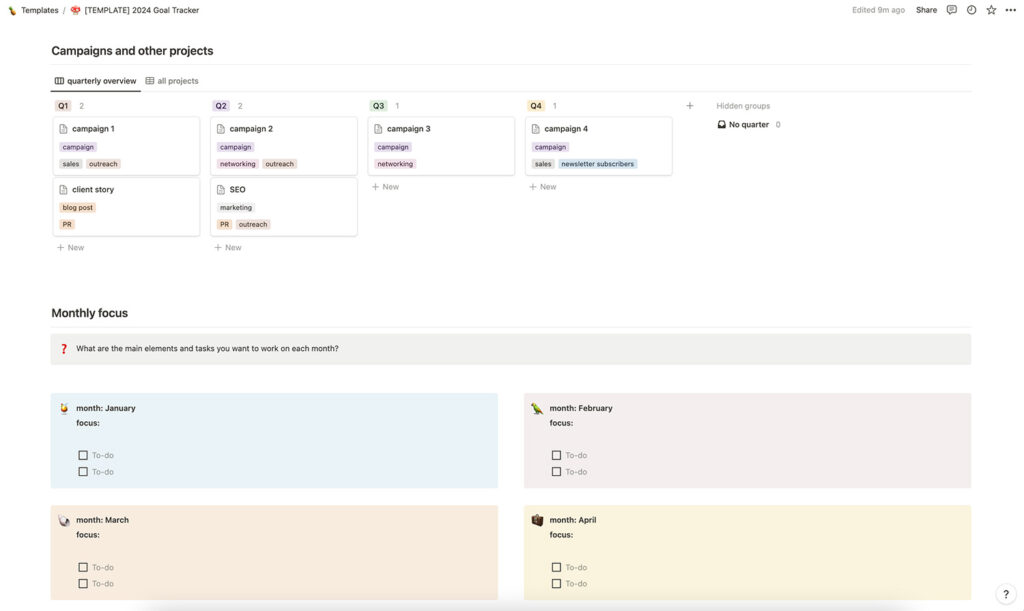
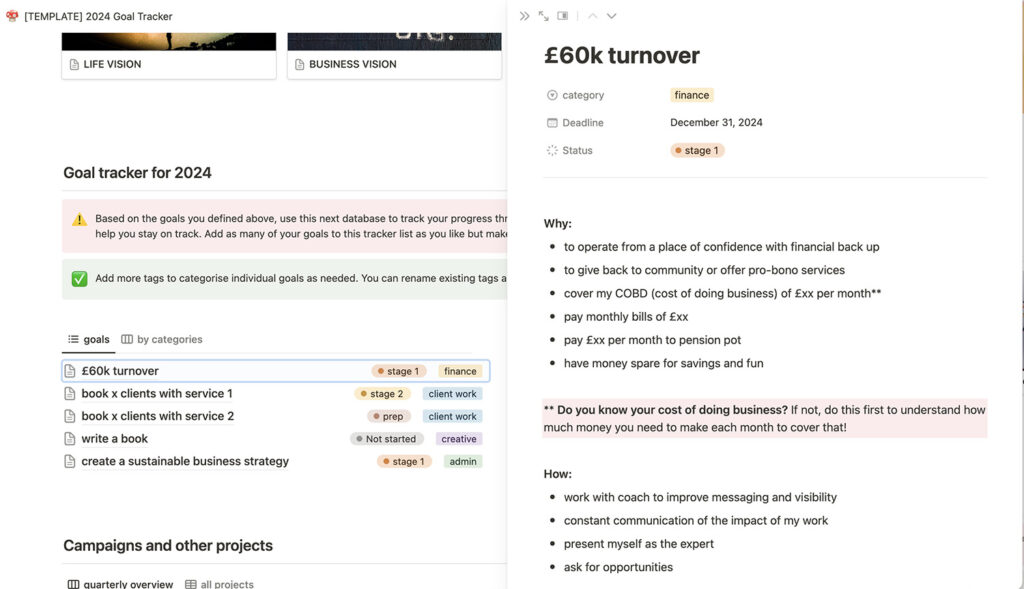
2026 Notion Goal Tracker (free)
This is a (semi)simple board designed to help you turn vague intentions into actionable goals.
It starts with reflection, life and business vision prompts, and then guides you through setting clear goals for the year. Those goals can be broken down into projects, campaigns, and monthly priorities, so you’re not holding everything in your head at once.
This tracker works best if you already have a basic understanding of how Notion works. It’s intentionally simple, but it does assume some familiarity with the platform.
This is a board I use myself every year. And because I find it so useful, I make sure to update the template annually as well.
Tracking Interest and Growth
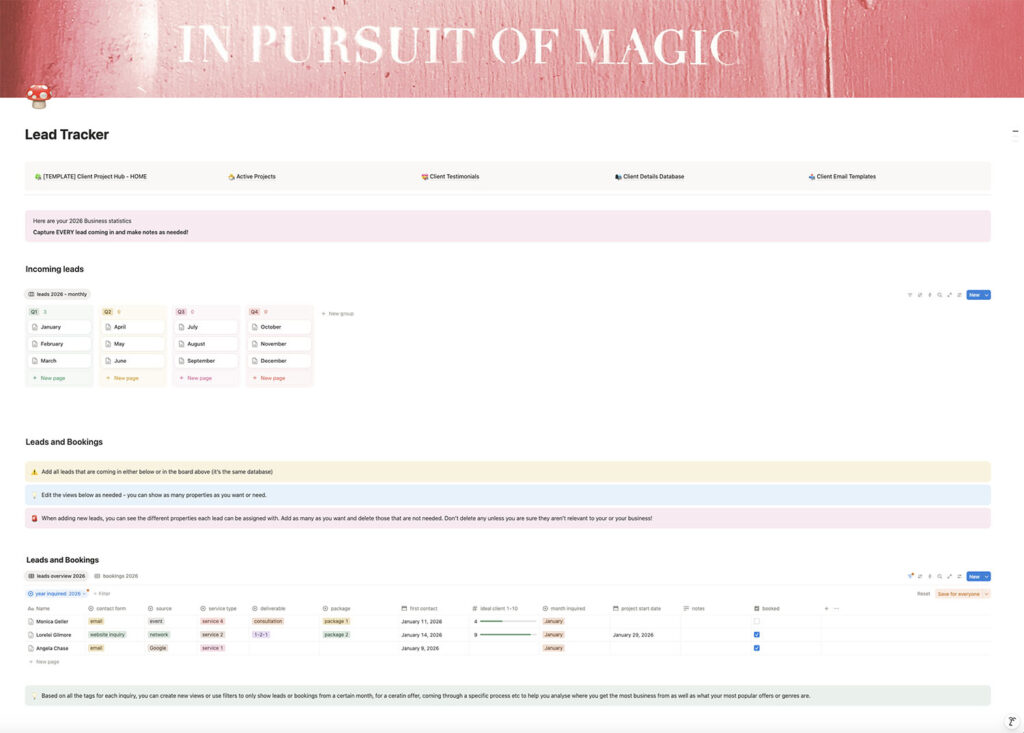
2026 Lead Conversion Tracker
This board is designed to capture incoming leads and follow their journey through to booking and beyond.
It allows you to see where inquiries are coming from, what people are interested in, and how much revenue they generate — which makes it easier to follow up intentionally rather than reactively.
This system is especially useful for service-based businesses that rely on enquiries and relationships rather than one-off sales.
Marketing and Content Planning
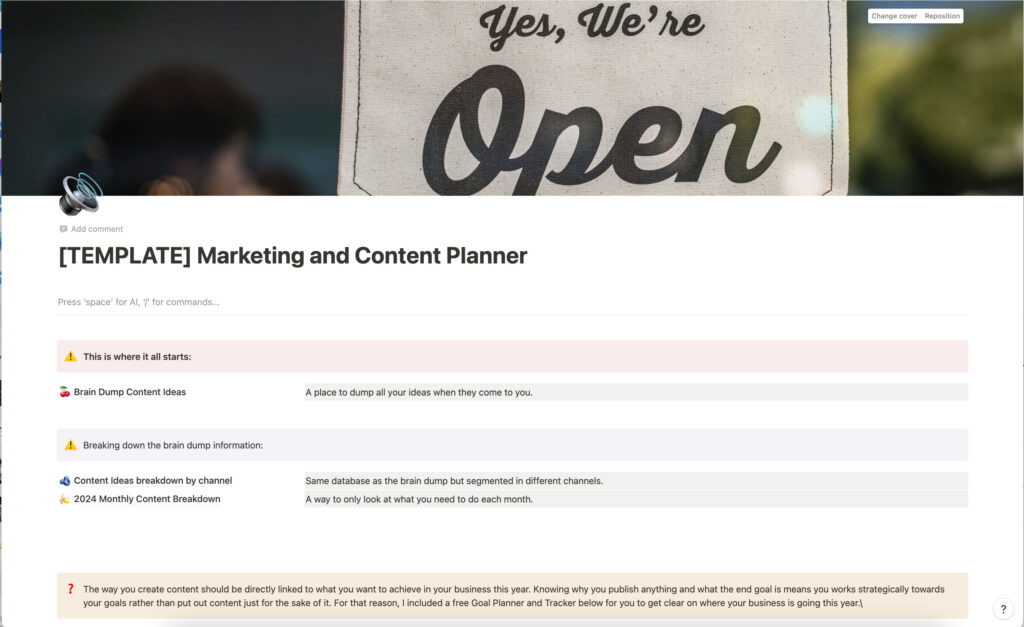
Marketing & Content Planner
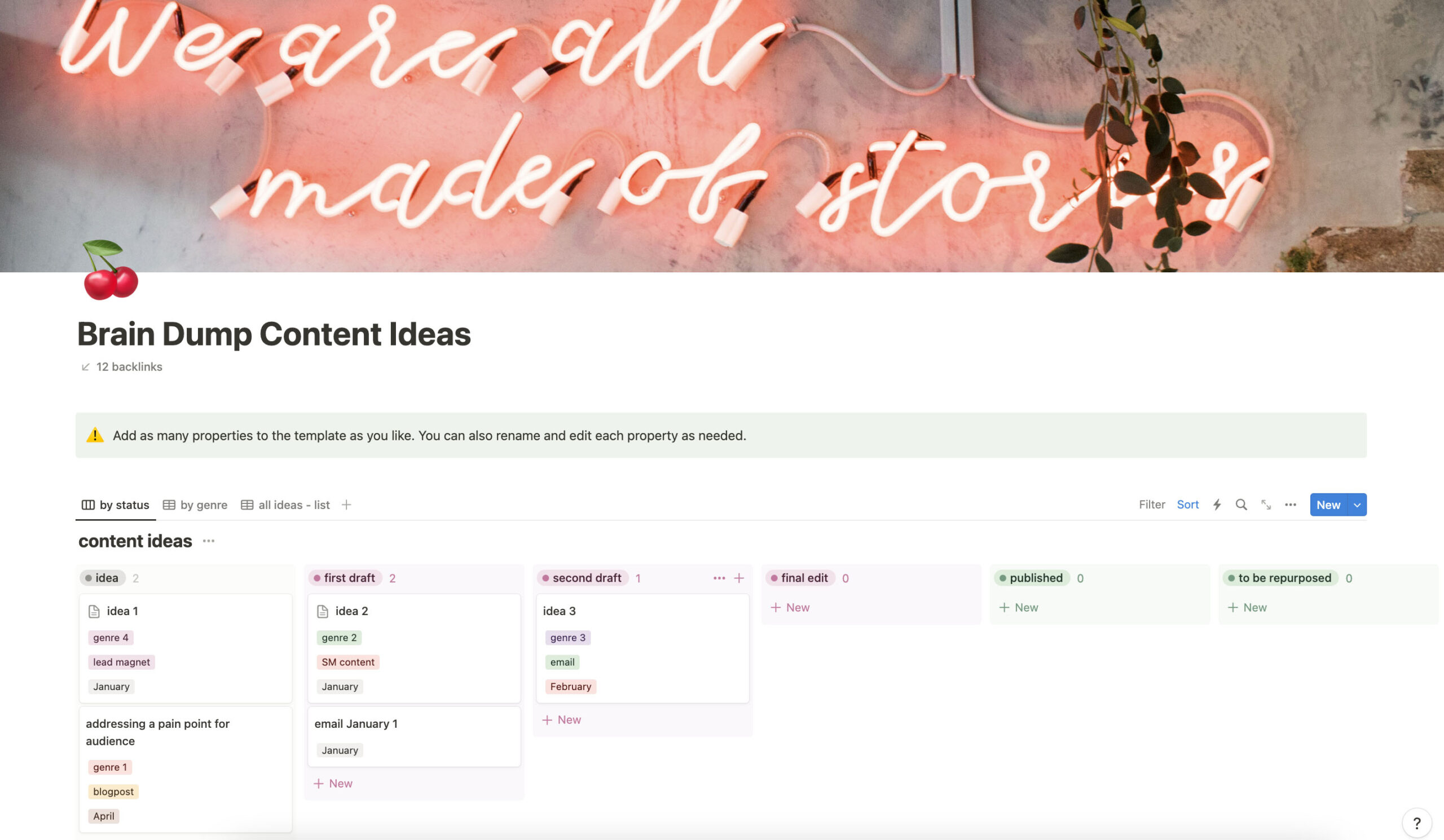
This board gives you a place to collect, organise, and revisit content ideas without the pressure to act on them immediately.
Ideas can be viewed in different ways, including a monthly breakdown that helps you focus on what’s relevant at a particular time of year. It’s designed for people who have ideas, but struggle to execute consistently because their system doesn’t support them.
Client Work & Communication
Client Project Hub
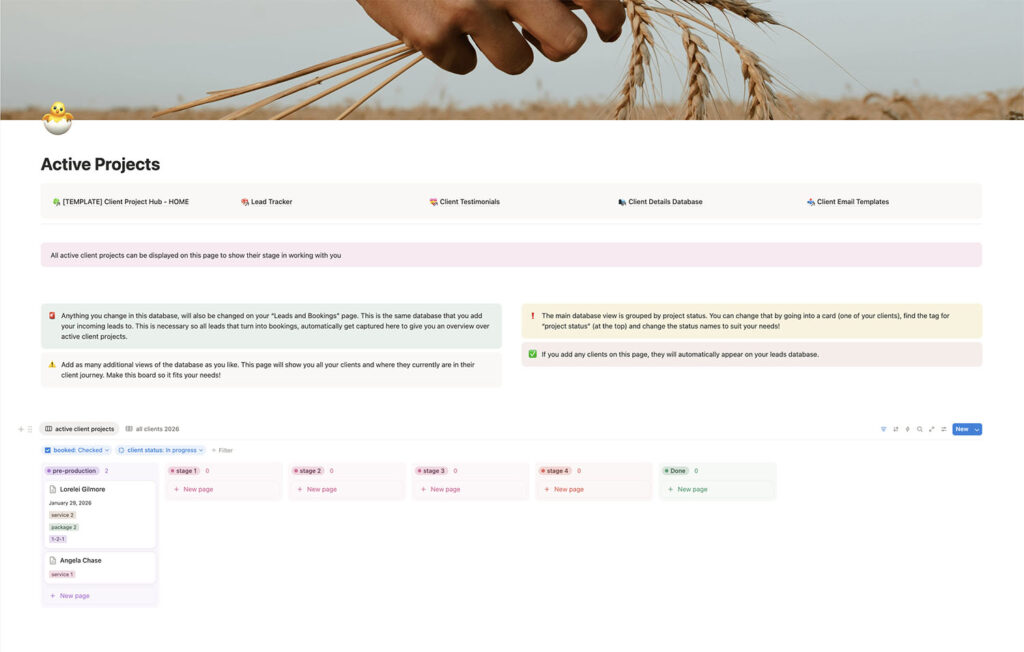
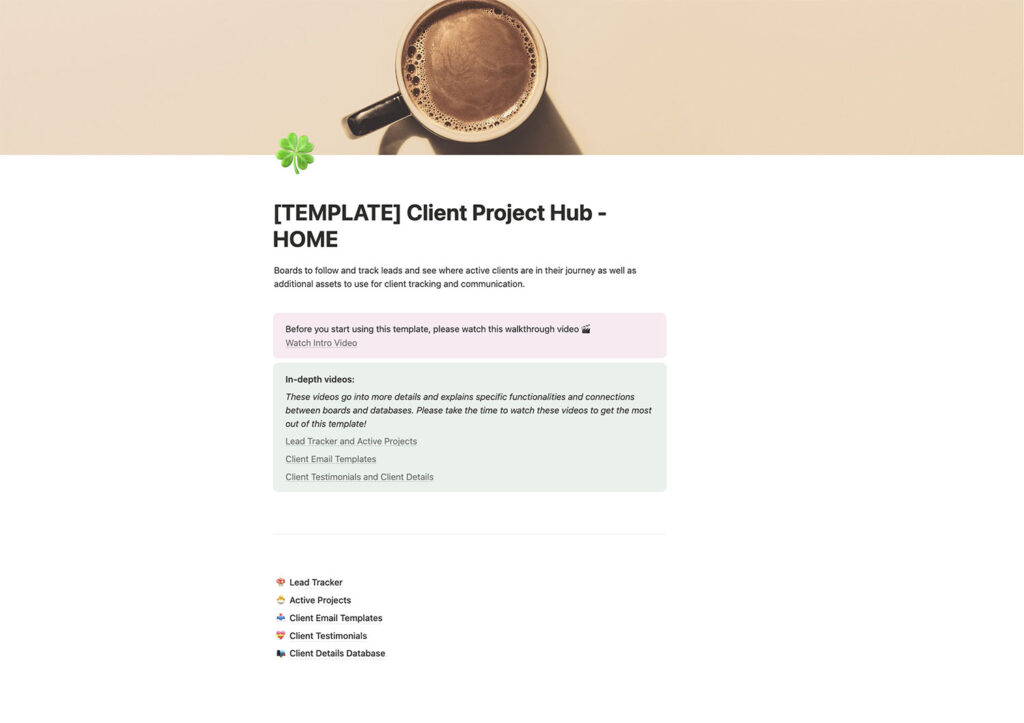
This is a complete workspace for managing client work — from the first inquiry through to project delivery and follow-up. The board evolved from the Lead Conversion Tracker.
At its core is a lead database that adapts as people move through different stages of your client journey. Instead of juggling emails, notes, and spreadsheets, everything lives in one connected system.
This board combines the Lead Conversion Tracker (explained above) and the Client Communication Hub (below) with a few extra features.
Client Communication Hub
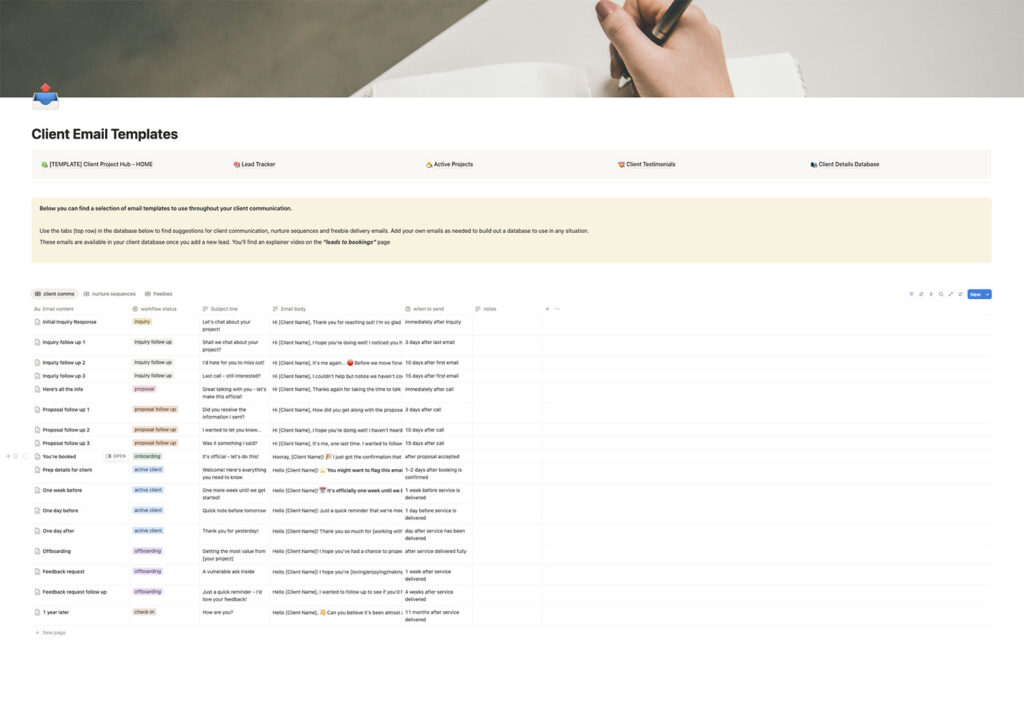
This is a collection of adaptable client email templates for different stages of working together — from inquiry to offboarding as well as a pre-written nurture sequence to turn cold leads into warm ones.
It’s included in the Client Project Hub but also works as a standalone system, offering structure and consistency without sounding scripted.
Money & Visibility
Business Finance Tracker
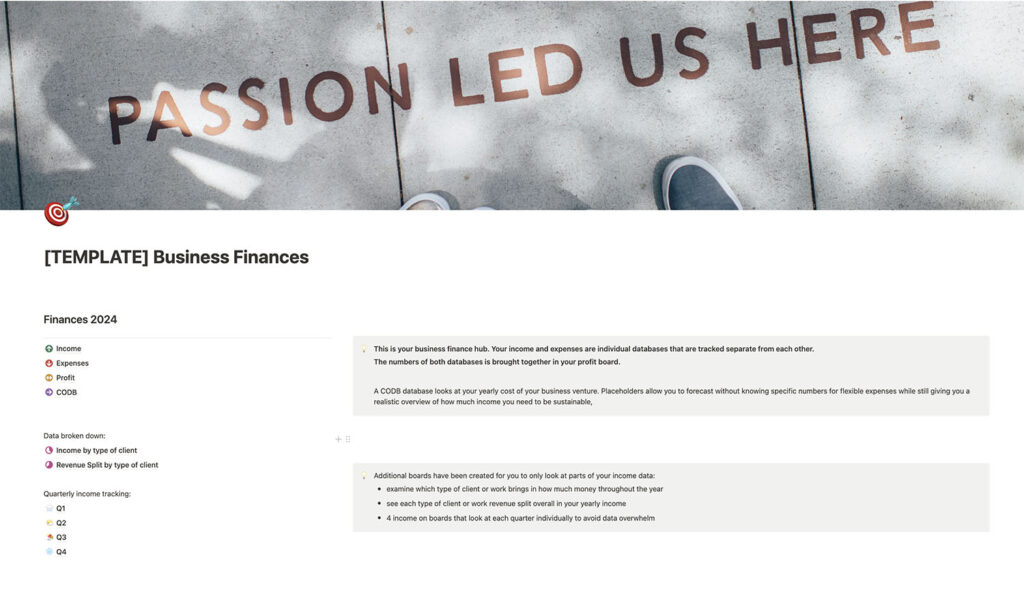
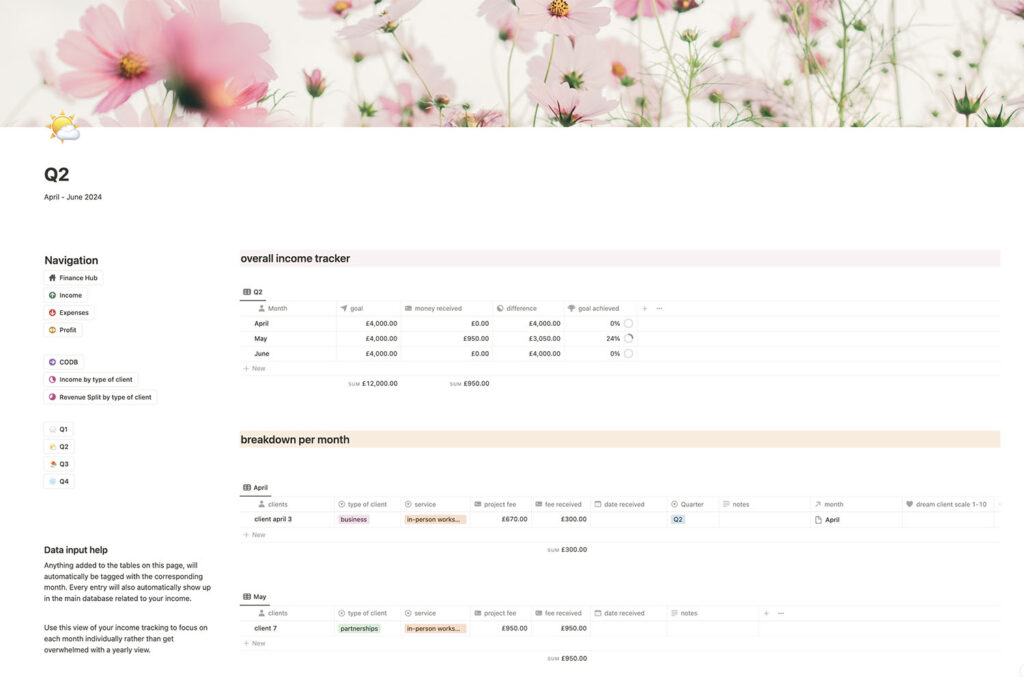
This board helps you track income and expenses across your business, so you can see where your money is coming from and where it’s going.
The information is displayed in different views to make it easier to understand at a glance, supporting better pricing decisions and more sustainable planning — especially if financial admin tends to feel overwhelming.
Throughout all of these systems, the goal is the same: clarity without rigidity. These boards exist to support real businesses, not to create more work or complexity. All of these boards are meant to evolve as your business does.
What I don’t use Notion for
As much as I rely on Notion, I’m also very clear about what I don’t use it for.
Notion is incredibly flexible, but it’s not designed to handle everything — and trying to force it into roles it’s not suited for usually creates more friction, not less.
I don’t use Notion for anything that requires automated external communication. That includes things like sending emails to clients based on triggers, issuing contracts that can be signed digitally, or automating workflows around bookings and payments.
While Notion can function as a kind of CRM, it lacks the automations that dedicated CRM tools are built for. Those tools are better at handling client-facing processes — things like follow-up emails, contracts, invoices, and confirmations — without manual intervention.
For me, the distinction is simple: Notion holds information. My CRM handles communication.
Notion shows me what’s happening in my business and where things stand. It helps me think, plan, and make decisions. But it doesn’t run my business for me — and I don’t expect it to.
This boundary is intentional. It keeps my systems lighter, clearer, and easier to maintain, and it allows each tool to do what it does best.
Learning Notion vs Downloading Templates
One thing I’ve noticed over the years is that Notion itself is often the biggest barrier — not the templates.
Many people download a Notion board with good intentions, open it once, and then quietly abandon it. Not because the template is wrong, but because the platform still feels unfamiliar or overwhelming.
That’s especially true when databases are involved. Once you understand how they work, they’re incredibly powerful. Until then, they can feel like “too much.”
Because of that, I created a beginner-friendly Notion walkthrough to explain how the platform works and how to approach more advanced boards without feeling intimidated. It’s designed to help you understand the structure behind the systems, so you’re not just copying a setup — you actually know how to use it and adapt it.
It’s a live webinar I held in March 2026. If you’re reading this blog post after that, you can access and purchase it through the link below for just £11. Along with the recording, you’ll also get my popular Notion Goal Tracker template to explore the platform on a real board that will hopefully also help you plan your year ahead.

Learn the basics of Notion — without overwhelm:
A live walkthrough for business owners who want simple systems that actually make sense
I do want to stress though, that this walkthrough isn’t required ion order to use and master the platform. You can absolutely use the free Goal Tracker or any of my templates on their own. But for people who want more confidence using Notion, especially before investing in more complex systems, having that foundational understanding can make a big difference.
Systems should support your business, not become it
Having systems in place to support your business will undoubtedly make most things easier. You don’t need perfect systems to run a good business but you need something that works for you. The good news is, you don’t need to build everything yourself.
The purpose of systems and of tools like Notion isn’t to make your business more complicated. It’s to create enough structure that things stop slipping through the cracks, without adding another layer of work.
Templates exist to save time, reduce decision fatigue, and help you avoid reinventing the wheel. They give you a starting point that you can use as they are or completely manipulate into something new.
If you’re curious, you can start small. Download the free Goal Tracker and see how it feels. If you want a deeper understanding of Notion itself, the walkthrough is there to support you. And if, over time, you want systems that grow alongside your business, you can explore the templates when they feel right.
Nothing here is all-or-nothing. The goal is simply to make your business easier to run, so you can focus more of your energy on the work you actually care about.